
August 24, 2026 · PeoplesNotebook
How to Use PeoplesNotebook
PeoplesNotebook helps friends and family stay meaningfully connected through private group reflections. This guide walks you through creating an account, creating or joining a group, and sharing your first thoughtful update.
Create Your Account
Begin by visiting PeoplesNotebook.com and selecting Sign up. Once your account is ready, you can connect with friends and family through a private group built for thoughtful life updates.
Your profile gives you access to reflections, groups, notifications, and account settings. The next step is to create a new group or join one that someone you know has invited you to.
Create or Join a Group
Create a group when you want to bring together a particular circle of people, such as your family, close friends, former classmates, or a group that lives in different places. Give the group a recognizable name and invite the people you want to include.
If someone else has already created the group, accept their invitation to join it. Notifications help you find new group invitations and other activity. Once you have joined, the group will appear with the other groups connected to your account.
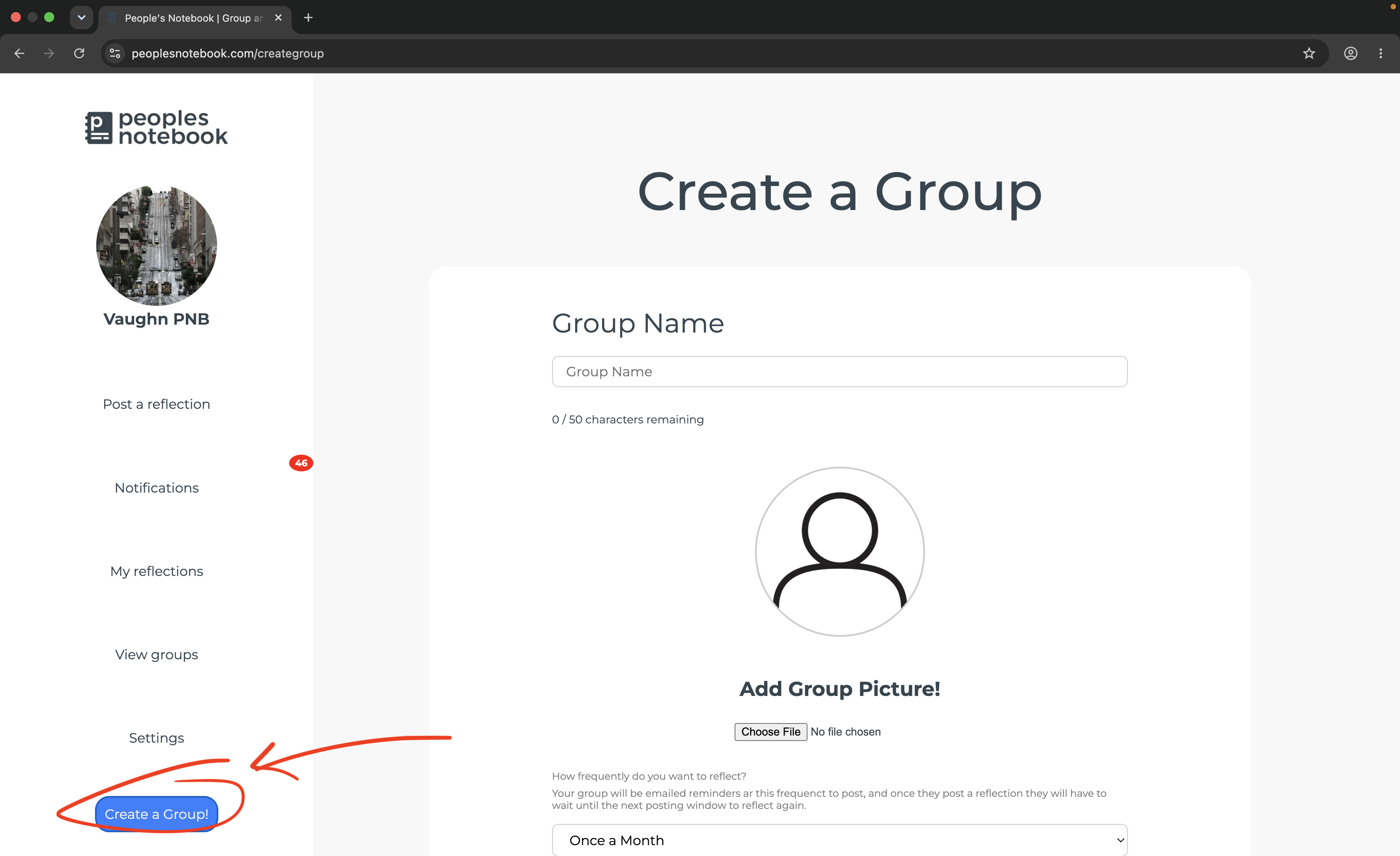
Each group creates a private, shared place where members can post reflections and keep up with one another without the pressure of constant social media updates.
Choose Your Group on the Reflect Page
Open the Reflect page and use the group selector to choose the people you want to update. The prompts shown on the page will correspond to the group you selected.
Taking a moment to confirm the selected group ensures that your reflection is shared with the right circle of friends or family.
Select a Prompt and Start Writing
After choosing your group, select one of the three prompts shown on the Reflect page. The prompts are designed to help you remember what happened, consider how you felt, and share details that help your group understand what life has been like for you.
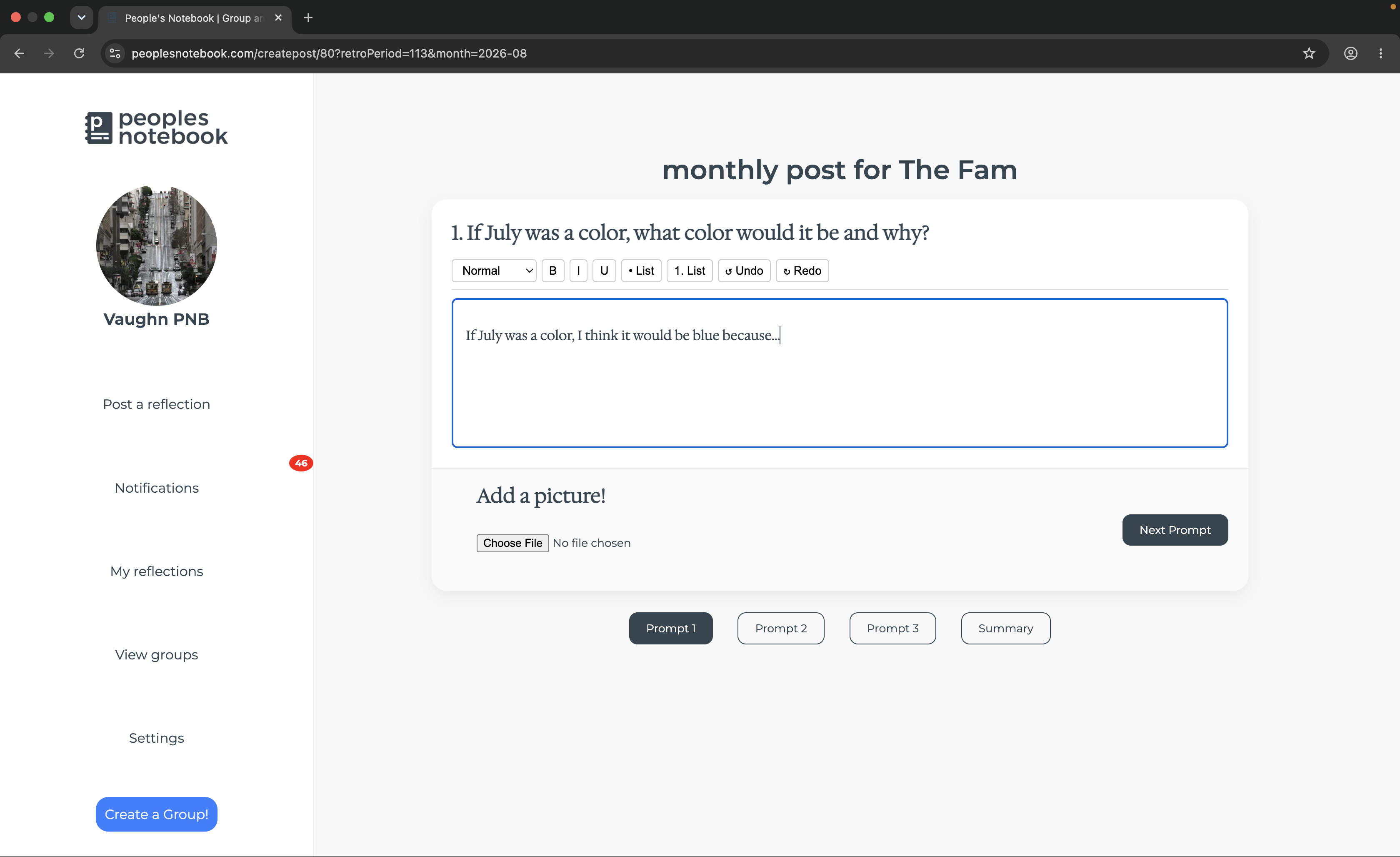
Write as much or as little as you want. Your response does not need to be polished. The goal is to give the people in your group an honest and meaningful update in your own words.
Complete Your Reflection
Work through each of the three prompts, then use the final summary to add anything else you would like to remember or share. You can move between responses before publishing, making it easy to review or edit what you wrote.
Photos are optional and can be added alongside your prompt responses or summary. A picture can provide helpful context and make the reflection even more meaningful when you return to it later.
Share with Your Group
When you post to a group, your reflection appears alongside updates from the other members of that group. This creates a shared space where friends and family can keep up with one another through more thoughtful, complete updates.
The Groups area lets you view the groups you belong to and read the reflections shared there. Notifications help you keep track of group invitations, reminders, and other activity.
Return to Past Reflections
Open Journal to revisit reflections you have written in the past. To catch up with other people, open Groups and select a group to read the reflections its members have shared.
You can also edit one of your own reflections if you need to correct or update it. Over time, the shared group history becomes a meaningful record of changing routines, relationships, milestones, concerns, and goals.
A Simple Way to Begin
For your first group reflection, choose the prompt that feels easiest and spend a few minutes writing whatever comes to mind. Add a photo if one helps tell the story, review your responses, confirm the group you selected, and post when you are ready.
There is no perfect way to journal. The most useful reflection is simply the one you take the time to record.